
All About Arceus X Key: How to Get & Activate it Easily?

When Roblox game players try to execute Redz or Blox Fruit scripts using Arceus X, they often come across key verification. Some players often get confused about where and how to get it or if it requires any fees. However, the process to get the Arceus X Key is simple.
Moreover, you don't have to pay a single penny to complete this key verification. Once you have this special code, you can use the executor to run all scripts. This key improves the security of the system and ensures only you can access and change the game features.
In this article, we will explore how you can access this key, its benefits, and more. So keep reading!
What is Arceus X Key?
Arceus X Key is a special verification code that is required to run scripts in the executor. This code is essentially required, as it allows the executor to enable certain features. Like, players need this code to load or execute supported scripts in Roblox.
After that, players can use and change features in the game. The key works as an access-verification mechanism.
So, instead of opening all features, it will ask you to first enter a key. To avoid key issues or an invalid key, you should enter the key carefully. You must also double-check after entering it.
How to Get Arceus X Key Easily To Run Scripts?
The process to get the Arceus X Key is simple and quick. The safest option is to use the key or verification option, which is provided through the current Arceus X distribution.
Here are simple steps to get the Arceus verification key:
Open Arceus X
You should open the Arceus X executor on your Android device and search for the key or verification option. If the application asks you to obtain a key, then click on it to continue the provided verification process.
Open the Key Verification Page
You should click on the key option provided by the application or its trusted source. Also, make sure the page you open belongs to the correct Arceus X service before continuing.
You must not trust websites that claim to provide unlimited keys if they are requesting unnecessary personal information from you. Review our Arceus X security guide before continuing.
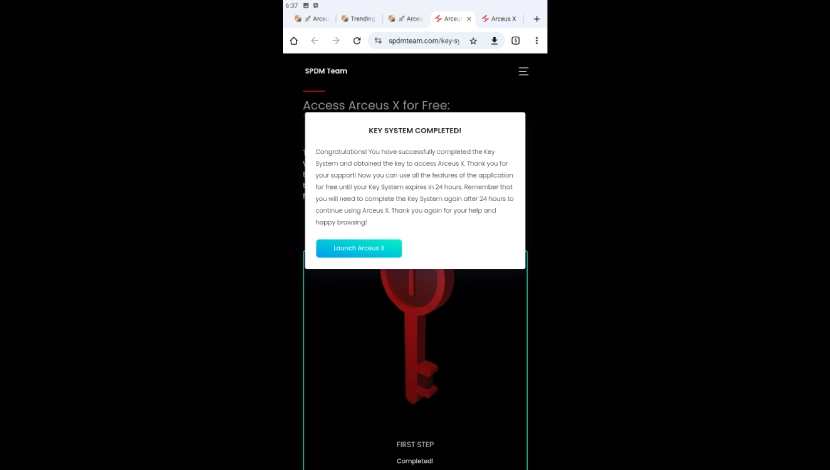
Complete Verification
Next, you should follow the instructions displayed on the verification page. Some key systems ask you to complete a verification step before generating or revealing the key.
Get the Key and Copy It!
Once you complete the process, you should copy the generated key carefully. You must also check that all characters are exact, as even a small mistake can cause verification to fail.
Return to Arceus X
In the last step, you should open Arceus X again and enter the key into the appropriate field. Submit it to complete the verification process.
How to Activate Arceus X Using the Key?
After you get the key, the activation step is usually simpler. You have to enter the key in the required field of the Arceus X app for verification.
Here are all the steps explained:
- You have to open Arceus X on your Android device.
- Now, find the Key or Verification section in the executor.
- Paste the copied key into the required field.
- You must check that the key is correct. It does not contain any missing or extra characters.
- Select the available Verify or activation option.
- Wait for the verification process to finish.
- If the key is accepted, continue to the available features.
Common Issues and Solution of Arceus X Key Not Working
Sometimes, players complain about Arceus X Key not working. Well, there are different reasons for the key not working. Some of them are discussed below:
Key is Rejected
Players often enter the wrong sequence or digit, which leads to key rejection. You should carefully enter the key to avoid this type of problem.
Key Has Expired
The keys have some validity period. If you enter the key after that period, you will see the key has expired status. To resolve this issue, you should generate and obtain a new valid key.
Verification Page Does Not Load
The reason for the page not loading is slow internet. So, you must use a stable internet connection when doing the key process.
Executor Does Not Accept Key
If you face this problem, then you should check if you are using the latest version of the executor and the game. Also check if your key is updated.
Verification Fails Repeatedly
If you get a verification failure again and again, you should check your internet connection and try later. There may be chances that the verification is temporarily unavailable. See the Discord community guide for updates and support.
What is the Validity period of Arceus X Key?
The validity period of any Arceus X Key depends on the key system and version of Arceus executor. Some keys remain valid for a limited period. So, you have to execute them within the given time period. However, other keys have different rules for validity.
That’s why there is no single validity period that is applicable to all Arceus X keys. If your key stops working after previously being accepted or after the game update, you should obtain and enter a new one.
Pros and Cons
Pros
- Key adds an additional verification system to the executor, which makes it safe.
- The process to obtain the key is simple.
- It helps to control access to features
- It does not need any subscription to obtain a code
Cons
- Key may expire quickly
- Sometimes the verification process takes longer due to internet issues
- The features or key validity can change after an update
- Using unofficial keys can result in security risk
Conclusion
It’s very easy to get the Arceus X Key and activate it by following the right steps. The process to obtain the verification key is easy, so that even new players can get it and enter in the executor. While using the key, you should ensure that the key is legitimate and acquired from a reliable source.
FAQs
Will Arceus work without a key?
No! Arceus X does not work without completing its key system verification. So, you have to obtain and enter a key to add scripts.
Can I use an expired Arceus X key?
No. The system does not accept expired keys. You have to add new and updated keys to access features.
Do players need a new key every time to use Arceus executor?
No. If your existing key is valid under the verification rules, then it is not necessary to add a new key every time.
Can we reuse the same key multiple times?
Yes. You can reuse the same key if it is still valid according to the current Arceus X key system.
Is the Arceus executor key free to get for the Roblox game?
Yes. The key is available for free. But you should be careful and do not trust cheap sites.